
Two-way radio fault finding: safe first checks
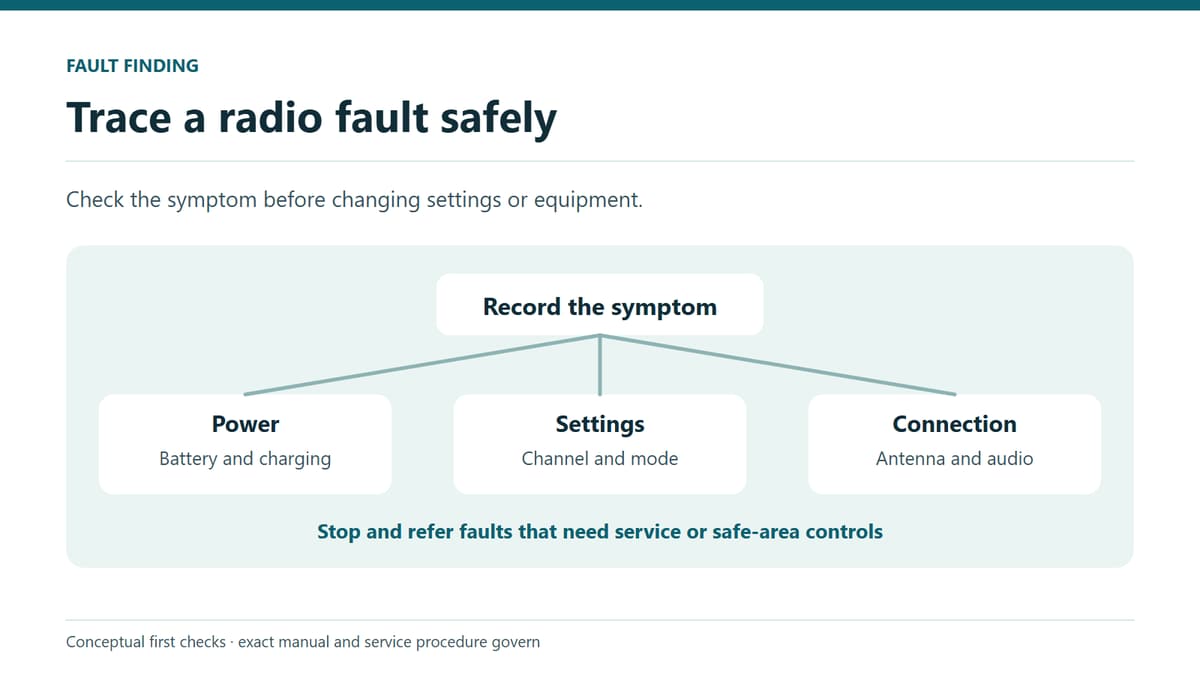
For ordinary radios used outside classified hazardous areas, start fault finding with checks an operator can make without opening or reprogramming the set: power, battery fit, selected channel, volume, accessory connection and the location where the problem occurs. Then compare with a known working radio on the same authorised system. The symptom narrows the next check; it does not identify a failed component by itself. If the radio is approved for a hazardous area, follow its exact safety instructions and site procedure before touching a battery, antenna or accessory; the ordinary part checks below are not instructions to change an approved Ex assembly inside a classified area.
Match the symptom to a safe first check
| What you notice | Operator check | When to pass it on |
|---|---|---|
| No power or it switches off | Check the battery is the correct type and seated as the model manual shows. Try a charged, known compatible battery if available. Note any charger indication using that exact charger's guide. | Stop if the battery is swollen, leaking, hot, damaged or will not latch correctly. A repeated failure with a sound known battery needs service. |
| You hear others but they cannot hear you | Make a short test call on the agreed channel. Confirm the push-to-talk control is pressed, the battery is charged, and a connected speaker microphone or headset is fully seated and actually compatible. Test without the accessory if the manual permits. | Ask the fleet administrator to check transmit permission, programmed power and channel settings. Do not keep transmitting if the antenna or connector is damaged. |
| No received audio | Check volume, selected channel or zone, receive tone/code, scan or lock state and whether the accessory has diverted audio. Compare with a known working radio in the same place. | If the settings appear to match but the set remains silent, pass the exact model, channel and test result to the fleet administrator or service provider. |
| Intermittent or noisy calls | Note whether it happens in one room, across the site or on one channel. Move to an unobstructed location and inspect a user-removable antenna externally for looseness or damage with the radio off. | Do not use a cracked antenna, exposed conductor or damaged antenna socket. Persistent location-specific failure calls for a coverage or interference check. |
| Beep, error message or unexpected LED | Record the exact tone pattern, text, colour, timing and channel number. Look it up in the manual for the precise model and firmware; indicator meanings differ between models and chargers. | A continuous alert after programming, an invalid channel or unknown access code needs the authorised programmer. Avoid guessing a reset or copying another radio's file. |
Hytera Europe's technical FAQ discusses battery, band, antenna, accessory and location causes in its own product context. Use those as prompts to record a symptom, then consult the exact model's manual before interpreting a tone, LED or error code. The same pattern can have a different meaning on another radio or charger.
Separate configuration from a physical fault
If two radios work side by side but fail in one part of a building, record the site and the path between users before replacing hardware. Steel, concrete, vehicles and foliage can affect radio coverage. If one radio alone fails everywhere, compare its actual channel, band, mode, signalling code and accessory with a known working member of the same fleet. A matching channel number may hide a different receive tone, digital group or repeater setting. The radio compatibility guide explains those system settings.
Hytera gives a specific example: on some of its DMR sets, a continuous low-pitched tone after programming can indicate an invalid or unprogrammed channel, including a frequency outside the hardware sub-band. That is a reason to check the exact label and codeplug with an authorised programmer, not to apply one brand's tone diagnosis to every radio. Our programming and handover guide lists what to give that person.
Check the antenna and accessory without making the fault worse
Icom UK's antenna guide asks users to compare the antenna's UHF/VHF marking and connector with the radio label. With the radio switched off, inspect only the externally removable parts described in its own manual. Do not force a connector, use an unknown aerial because its thread fits, transmit with an exposed or damaged antenna, or open the radio body to investigate a socket. A damaged socket belongs with an authorised repair service.
For an earpiece or speaker microphone, confirm the exact radio series and connector, fully seat the plug as its manual requires, and compare the built-in speaker and microphone before and after removing the accessory. If the fault follows one accessory, set that item aside for compatibility or repair checking. If the radio also fails without it, record that result rather than buying a connector by appearance alone. Our audio accessory guide covers fit and use.
Care, charging and service handover
Switch off before normal exterior cleaning and follow the exact manufacturer's cleaning and sealing instructions. Keep unsuitable cleaners, water jets and tools out of speaker openings, contacts and ports. Use the correct battery and charger, and read LED meanings from the charger assembly actually in use. For charging fit, see our charger guide; for storage, damage and disposal, see our battery-care guide.
When handing a problem to support, provide the exact model and regional suffix, serial number if appropriate, firmware if known, current channel/zone, battery and accessory used, the full error or LED pattern, where the fault occurred, and what was tested with a known working radio. Use the manufacturer's current manual for that model; a nearby family or a US-region guide may have different controls and indicators. Stop using a set with a damaged antenna, battery, connector or enclosure, follow any applicable site safety controls, and use the site's backup communications procedure until it is assessed.