
Programming a two-way radio fleet: what to prepare and check
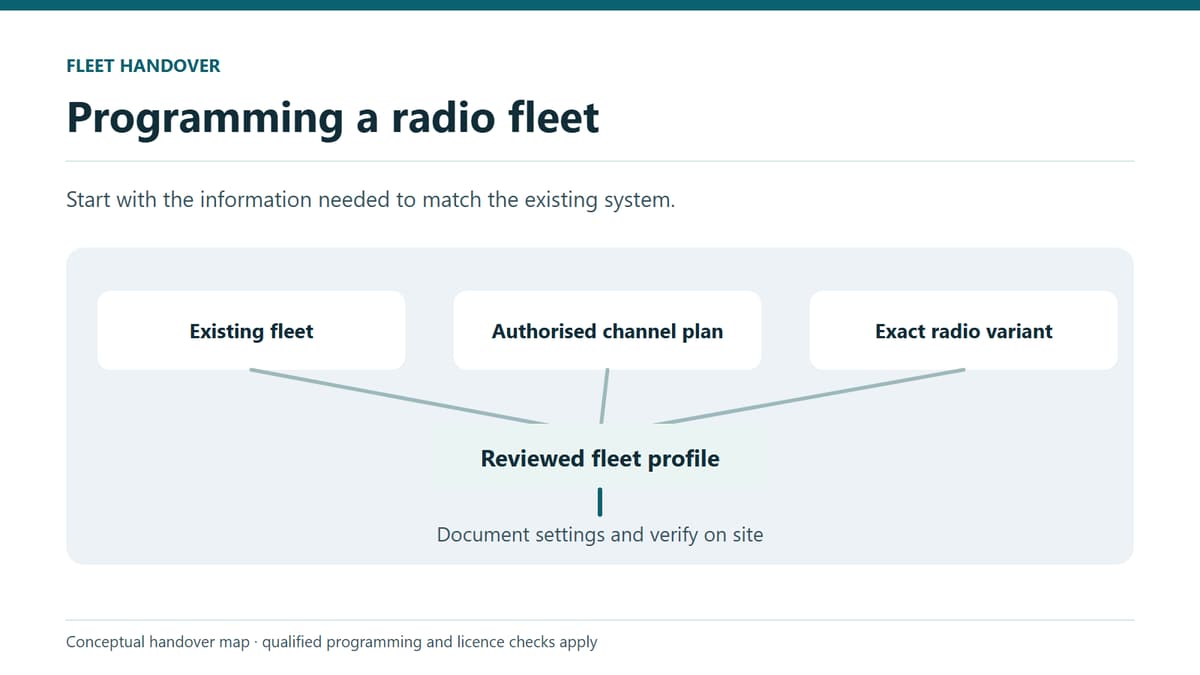
To add or reprogram a two-way radio, start with the existing fleet and its authorised channel plan, not a model name alone. The programmer needs the exact radio variant, the system's mode and settings, and a clear account of which configuration may be read, changed and tested. Agree the handover record before a batch is written so the team can tell what changed and whether the radios still work together.
What information is needed to match an existing fleet?
| Bring to the programming brief | Why it matters |
|---|---|
| Radio and system identity | Make, exact model and regional band/suffix of the new and existing radios; repeater or network identity; firmware and enabled options where relevant. A family name can cover different modes and frequency ranges. |
| Authorised channel plan | The licence holder's permitted frequencies, transmit/receive arrangement, power and site conditions, or the applicable licence-exempt equipment conditions. A copied channel file does not grant permission to transmit. |
| Call configuration | Analogue tones or exact digital protocol; direct/repeater/trunked mode; DMR colour code, slot, talkgroups and IDs where applicable; scan and emergency behaviour. Match the settings that the actual group uses. |
| Access and records | Who owns the current programming file, whether a read or change is password-protected, which software/firmware version created it, and who may handle any keys or sensitive group details. |
| Acceptance test | Named test radios, channels, sites and required functions, including both directions of voice and any repeater or dispatch workflow actually used. Test emergency functions only in a controlled exercise agreed with the organisation and its normal response procedure. |
Ofcom's Business Radio guidance explains the UK licensing route; the exact licence and its conditions belong in the brief. Our UK radio licensing guide covers the initial decision. For analogue, DMR, dPMR and NXDN differences, use our fleet compatibility guide before assuming a shared frequency makes two radios interoperable.
Codeplugs, passwords and software versions
A codeplug is a radio's stored configuration, which can include channel, identity, group and feature settings. A copy from one unit may be unsuitable for another model, band, firmware or organisation. Some systems protect access to programmed settings with an administrator password; for example, Motorola's North American RDX user guide names a CPS Manager Lock or codeplug password. That example does not tell you which permission or tool a UK model uses. Do not try an unknown password or a factory reset as a shortcut to a fleet match.
For one concrete manufacturer example, Hytera Europe's support FAQ says its DMR radios use Hytera Customer Programming Software and a compatible USB programming cable. It also warns that a file made with newer CPS/firmware must not be written back to an older firmware version, and recommends backing up the original codeplug before upgrades or batch programming. These are Hytera examples, not a cable, file-format or downgrade rule for every brand. The exact model's current documentation determines the tool and version path.
Ask the fleet administrator whether an existing configuration may be read and archived securely before changes. Confirm how the programmer will preserve any unit-specific IDs, network settings, encryption keys and emergency assignments. A backup makes review and recovery possible, but it does not prove that writing a changed file will preserve every setting or that an older version can be restored. Agree the change and rollback method for the exact hardware and software before writing a batch.
Which cable and software does this radio need?
Check the radio's complete model and regional variant against the manufacturer's current programming instructions. Record the authorised software product and version, required cable or docking interface, computer driver and any dealer entitlement or network-management access. A connector that physically fits is not proof of a supported data connection. A different radio family may use another cable, firmware branch or programming system, even within one brand.
Ask who will do the work and on what authority. A customer's operating licence, a supplier's demonstration or service permission, and a network operator's right to provision subscribers are different matters. If the channel plan, administrator access or security keys belong to another organisation, obtain them through that organisation's approved process rather than trying to infer them from a nearby handset.
What should a programming quote and handover include?
- Scope: number of radios, exact variants, new or existing devices, channels and functions to be changed, and whether reading an existing unit is included.
- Dependencies: the licence holder's channel plan, administrator permissions, passwords or key-loading process, supported software/cable, and any repeater or network access.
- Preservation: whether an authorised original configuration will be archived, how unit-specific values are retained, and what happens if an existing file cannot be read.
- Delivery: programming record/version, labelled radios and channels, user handover notes and the agreed acceptance-test results.
- Exclusions and follow-up: state separately any licence application, new software entitlement, firmware upgrade, site survey, repeater/network change, encryption-key service or later reprogramming. Confirm the actual offer in writing; none is automatically included by a product listing.
For a used fleet, the existing radio's label and actual programming are especially important; our used-radio compatibility guide covers that buying decision. Do not distribute a codeplug or a list of private IDs and keys as an ordinary public attachment.
When should you stop?
Pause a change if the licence or operator authority is unclear, the model's band does not cover the intended channel, the source file or password cannot be obtained legitimately, or the software reports a version mismatch. Stop if a write could affect emergency, lone-worker, encryption or network identity settings without an agreed test and recovery route. Have the authorised fleet administrator or a qualified radio service provider resolve the exact issue. A successful file transfer alone is not proof that a working, lawful fleet has been handed over.