
Mobile two-way radio installation: plan the complete vehicle or desk system
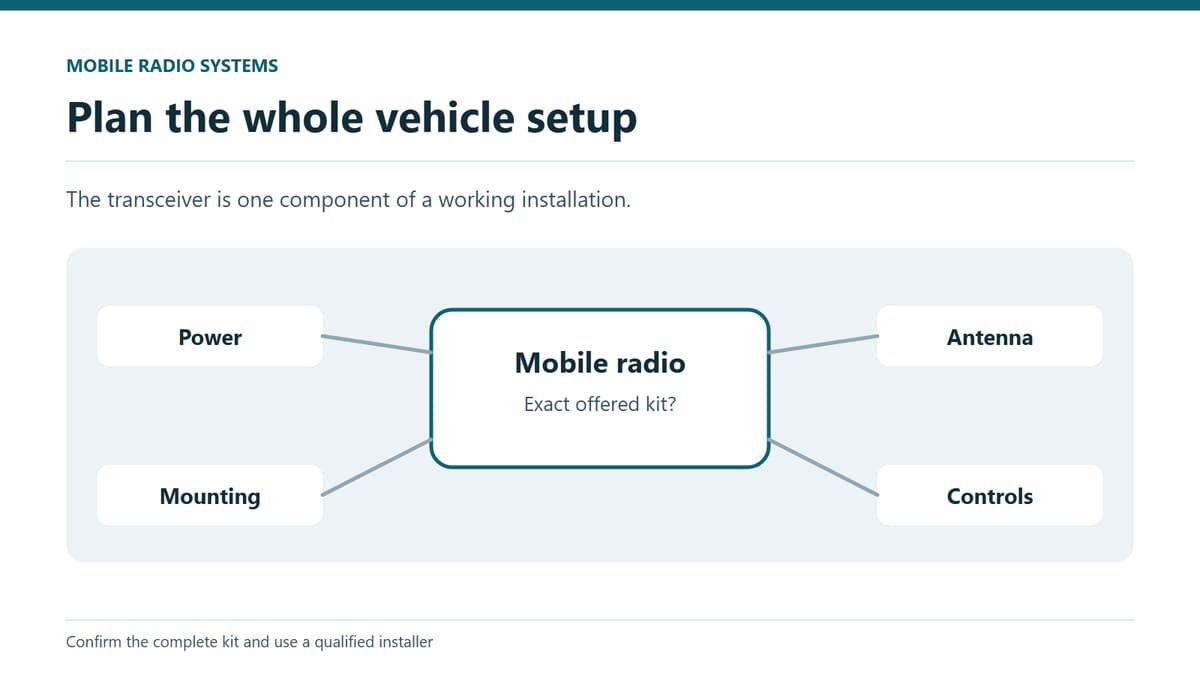
A mobile two-way radio is a system to fit and power, not just a transceiver to put on a dashboard. Before ordering, specify the exact radio variant, microphone or control head, DC supply, antenna and feed, mounting hardware, speaker path, programming and licence. The items shown as standard on a manufacturer family page may differ from the kit in a retailer's offer. Ask for a written parts list for the actual quoted unit and an installation plan for the actual vehicle or desk.
What belongs in the working system?
| Component | Question for the quoted model | Why the answer matters |
|---|---|---|
| Radio and controls | Which exact band, power and control-head variant is offered? Is the head attached, remote or a separate option? | A radio body mounted out of reach still needs its supported controls, cable and a safe operating position. |
| Power | Which DC cable, fuse arrangement, vehicle-voltage conversion or suitable desktop supply is specified by the radio maker? | A mobile unit is not assumed to plug into a wall socket, and a nominally compatible connector does not prove a suitable supply. |
| Antenna and feed | Which band-specific antenna, mount, cable and connector complete the RF path? Does the licence cover the installed site and radiated power? | Many manufacturer lists offer several antennas rather than one universal part; position and feed affect real coverage. |
| Audio and accessories | Is the required palm, visor or desktop microphone included? Does the external speaker use a direct jack or a model-specific interface kit? | A speaker part number alone does not establish the connector, cable, output rating or control path. |
| Mounting and handover | Which bracket, remote-head kit and cable, programming, test and user instructions are included? | The installation must be secured, usable and compatible with the vehicle or work position. |
The difference is visible in two manufacturer examples. Hytera's European HM785 page lists a DC cable, palm microphone and bracket among standard family accessories, while antennas, cabinet supplies, ignition cables, speakers and other connection kits are optional. It describes attached and remote-head configurations, but that does not mean a remote head is in every box. The Icom IC-F5022/F6022 leaflet lists a microphone, DC cable and bracket kit as supplied for that series; it separately lists speaker options. These are manufacturer examples, not promises about either model's current Sync Comms offer.
Power a vehicle or desktop installation correctly
Confirm the radio's actual voltage range and peak transmit current, then specify a supply, cable, fuse and switching arrangement that the radio and vehicle makers support. A 24 V vehicle, an electric vehicle, a desktop desk supply and a 12 V car are different installations. In the IC-F5022/F6022 manual, Icom warns that its radio must not be connected directly to AC or to a 24 V battery and says to retain the DC cable's fuse holder. Those are rules for those Icom models; read the exact current manual rather than applying its numbers to another radio. Hytera's HM785 page lists different DC and desktop power products, including a 24 V-to-12 V converter, as separate accessories.
Decide whether ignition-controlled operation or a supervised fixed-desk power arrangement is needed. An ignition lead is not a substitute for checking the radio's supported power and the vehicle's wiring. A suitable desktop station also needs the right power supply, desk microphone or speaker arrangement, antenna location and licence conditions. Motorola's September 2020 MOTOTRBO mobile accessories guide illustrates separate trays, desk microphones, speakers, supplies and cables for specific DM-series combinations; the table does not prove cross-model interchange or the contents of a merchant kit.
Check the speaker and remote-head route
Ask for a diagram of the exact radio-to-speaker connection before buying an external speaker. The Icom IC-F5022/F6022 manual identifies a rear external-speaker jack and gives its supported load; its product page also describes the optional OPC-1939 accessory cable for other external functions. Hytera's HM785 page lists external speakers alongside PC82, a DB26 split cable, and separate PTT/microphone/speaker kits. The lists do not show that every speaker uses the same path. The vendor or installer must identify the actual port, interface kit, cable length, mounting place and audio level for the quoted configuration.
For a remote control head, confirm the exact radio variant, head type, remote adapter, extension cable and power routing as one supported assembly. Hytera describes single and dual remote-head HM785 options. The same Motorola guide lists PMLN6404 remote-mount adapter and PMKN4143 or PMKN4144 connection cables separately in its named DM-series table. That is a model-list dependency example, not a universal Motorola or cross-brand recipe; check the current compatibility list for the quoted radio.
Fit the vehicle without creating another hazard
Use a qualified vehicle-radio installer with the current radio and vehicle installation instructions. The plan should check secure mounting, cooling, cable routes, battery and fuse requirements, airbag deployment areas, electrical and RF compatibility, antenna position and the licence. Obtain the manual for the exact vehicle model and year; Ford owners can start at Ford's UK owner-manual finder. Check the vehicle instructions alongside the exact radio manual rather than copying fitting measurements or wiring from another vehicle.
After fitting, ask for a controlled test of receive and transmit audio, power-up and shutdown, any remote head or speaker, ignition behaviour, interference with vehicle equipment and coverage at the intended locations. Test any emergency workflow only under an agreed procedure that will not trigger an unintended response. Our antenna and RF-path guide explains band, connector, feed loss and ERP.
Driving rules and a workable operating policy
For driving in Great Britain, the Highway Code, rules 149 and 150, requires proper control and says never to use a hand-held microphone while driving. It warns that even hands-free equipment can distract, and advises stopping in a safe place. The Department for Transport's 2024 explanatory memorandum for Great Britain distinguishes certain two-way radios from devices covered by the hand-held mobile-phone prohibition; it also limits a separate emergency-services exception. Check Northern Ireland's separate driving rules rather than assuming this Great Britain distinction applies there. Do not assume every cellular push-to-talk or feature-rich device has the same legal classification. None of these distinctions removes the duty to drive with proper care or the need for an employer's safe-use policy. Icom UK's vehicle-radio guidance also calls for a clear organisational policy. Set who may call a driver, which controls can be used, when the driver must stop and how urgent calls are handled before deployment.
Ask for this before accepting a quote
Give the supplier the radio model and variant, operating band and licensed channels, vehicle make/model or desk setting, supply voltage, mounting position, distance to controls and speaker, and who will use it. Request an itemised list naming the radio, microphone/control head, DC or mains supply, bracket, antenna, feed, speaker, adapters, programming and fitting. Ask which parts are included, which are optional, who will install and test them, and what evidence will be handed over. A quote for a transceiver alone cannot establish that the complete installation is ready to use.