
Mesh and full-duplex intercoms: choose the right talk mode
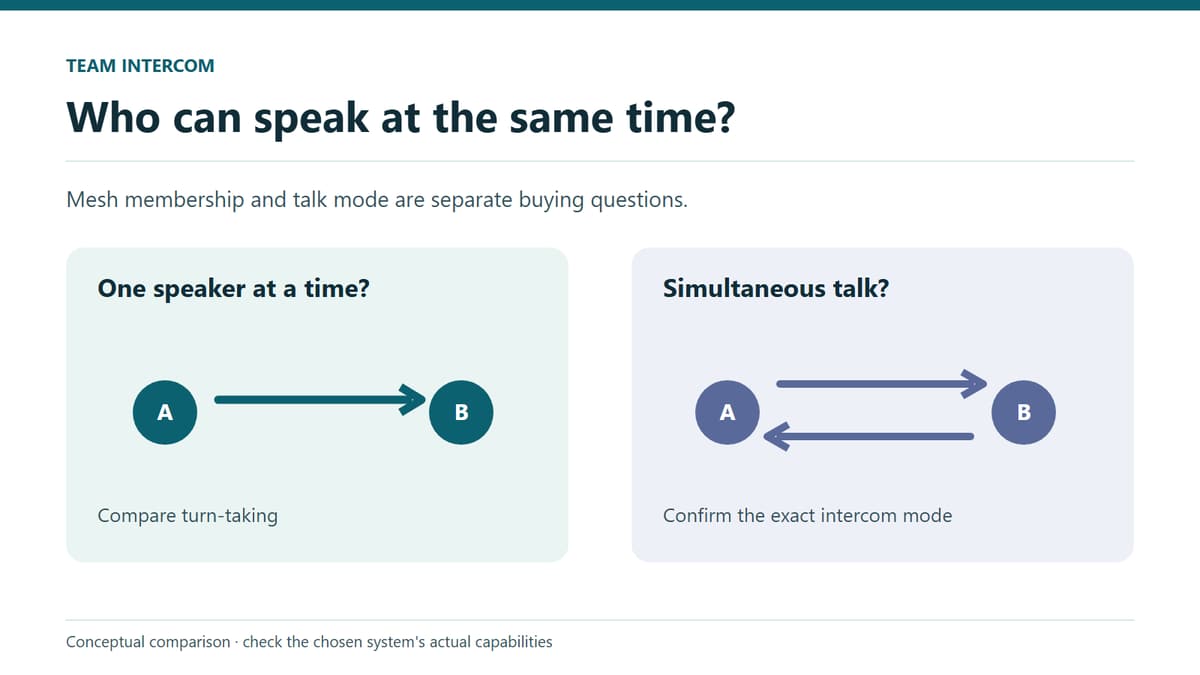
Start with the conversation your team needs. A conventional push-to-talk radio gives one user the channel at a time. A full-duplex intercom can let team members speak and hear simultaneously. A mesh system describes how compatible units form and recover a group connection; the word mesh alone does not tell you how many people can speak at once, whether a hub is needed, or whether another brand will join. Get the exact model, talk mode, group limit and regional version before choosing a kit.
Compare the actual talk modes
| Mode | Operator experience | Question to settle |
|---|---|---|
| Push to talk | Press a transmit control, then release it so another person can reply on the shared channel. | Can your team work with turn-taking, including urgent interruptions? |
| Full-duplex intercom | Compatible members can talk and listen together within the system's supported group. | What is the maximum simultaneous conversation size with this exact master, remote or hub arrangement? |
| Mesh intercom | Compatible nodes can form a group and may reconnect when a member moves out of and back into reach. | Is this the maker's mesh mode, what talk behaviour does it provide, and which exact devices or bridges can join? |
These are separate design properties. For example, the Cardo PACKTALK Edge manual describes its Dynamic Mesh Communications (DMC) group as hands-free conversation and permits up to 15 riders in a group. That number is for the named Cardo DMC mode, not a generic limit for every mesh product. The manual separately describes Bluetooth intercom and an explicit way to bridge a non-DMC rider. Pairing a phone over Bluetooth does not by itself join a separate brand's mesh conference.
Count active users, not just headsets in a box
Ask whether a stated number means paired members, connected members, simultaneous speakers, or headsets physically supplied. Hollyland's Solidcom C1 Pro page describes non-hub packages for two to eight members and a hub-based system supporting up to nine, including its wired hub headset. It says a master headset is not used in the hub-based system. A buyer extending a non-hub set therefore needs to review the hub and headset roles, not just add another headset. Hollyland's product page also distinguishes optional hub features such as A/B grouping from the simpler non-hub arrangement.
A different Sena Momentum EVO Group Mesh help page says up to 24 members can connect in that model's private group. This is a group-membership figure; do not substitute it for Hollyland's simultaneous intercom capacity or Cardo's DMC group limit. Check the exact manual for how many users can actively speak, whether multiple groups can run, and what happens when the group splits.
Master, remote, hub and bridge dependencies
Draw the actual communication path before ordering. Which headset is the master? Can a remote work without it? Does a hub add wired users, A/B groups or links to another system? Which cables, antennas, batteries and chargers are included? For example, Hollyland lists master and remote headsets for its non-hub Solidcom C1 Pro sets, while its hub arrangement uses a wired hub headset and has a different capacity. Its published pack illustrations are for named configurations, not proof of what a particular merchant supplies.
Interoperability also needs a named method. Cardo's manual has a deliberate Bluetooth bridge for a non-DMC participant; Sena describes a separate process to create or join its Group Mesh. Neither feature establishes direct Cardo-to-Sena mesh membership or compatibility with an unrelated professional push-to-talk fleet. For any bridge to a radio system, ask which interface, audio direction, PTT control and licence route the manufacturer documents, and test the intended call flow before deployment. Our radio protocol compatibility guide explains why the fleet's own air interface and settings must match.
Check the regional radio version
Wireless intercom variants can use different frequencies by market. Hollyland's Solidcom C1 Pro page lists 1880–1900 MHz for Europe and different bands for several other regions. Its older Solidcom C1 non-hub leaflet also separates European and North American frequency ranges. These manufacturer figures do not certify a particular imported unit for UK use. Confirm the exact delivered regional model, declaration and operating mode against current UK requirements; Ofcom explains that licence-exempt operation still depends on compliant equipment and gives no protection from other users' interference.
Range claims also need context: line of sight, obstacles, body position and how nodes are spaced affect a real team. Treat a manufacturer's maximum distance as a stated test context, then conduct a controlled trial at the actual venue, route or work area. Check how the system behaves when a person leaves coverage and rejoins, and whether a hub or wired backhaul must stay powered.
Choose by the team's job
Use push to talk where short, ordered messages and broad radio-system integration are the main need. Consider full-duplex intercom where people must coordinate hands-on work while talking simultaneously, such as a production or technical crew. Consider a documented mesh product where movement and automatic group recovery matter. A single site may need more than one path, but a claimed Bluetooth or mesh badge is not evidence that two systems share calls.
For a quote, specify the number of people who must talk at once, group structure, indoor/outdoor route, noisy areas, hearing protection, shift length, charging plan, regional model, existing radios and any recorded or emergency call procedure. Ask for exact master/remote/hub contents, supported firmware and bridge method. Then trial the real call pattern with the team before accepting capacity or range as delivered.