
Radio Software Upgrades: Firmware, Features and Licences
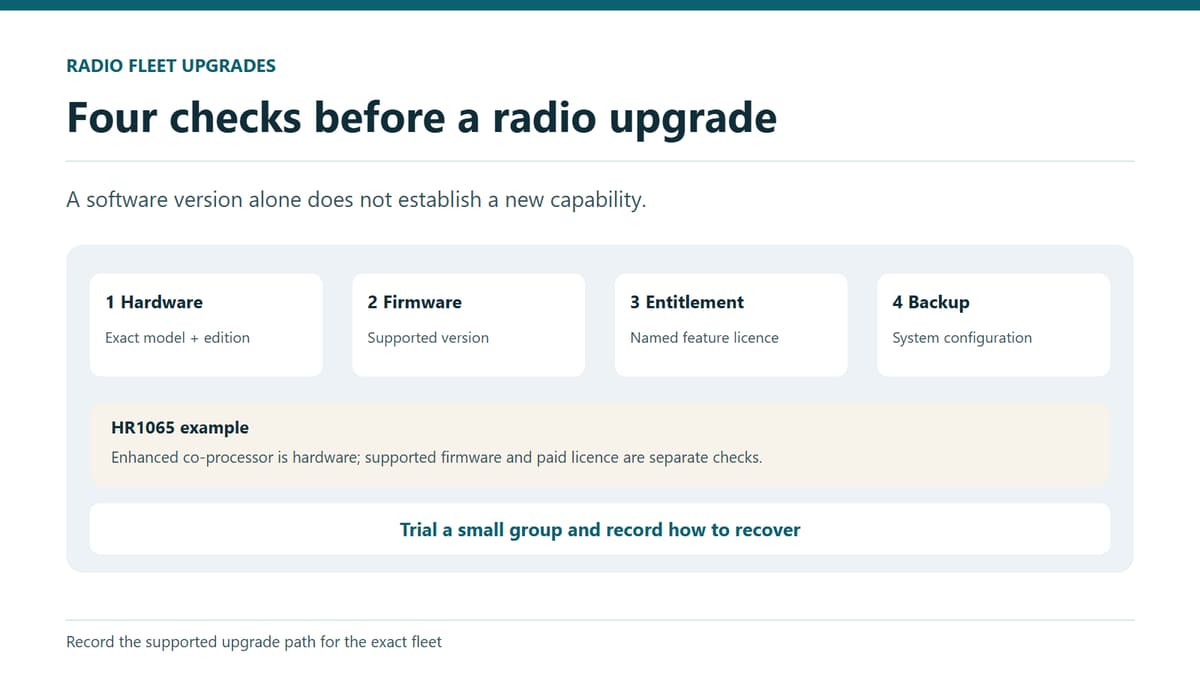
A radio feature may depend on hardware, firmware, a paid entitlement and the programmed system. Record each separately before planning an upgrade. A newer software file cannot add a processor or connector that the actual radio does not have.
Four checks behind an upgrade
| Check | Ask for | What it does not establish |
|---|---|---|
| Hardware | Full model, variant, band and installed options. | A software entitlement cannot change a standard unit into a different hardware edition. |
| Firmware | Approved version and supported upgrade path for that exact unit. | Updating firmware does not automatically grant a chargeable operating mode. |
| Feature licence | Named entitlement, supported model and who controls it. | A licence for one unit or mode is not automatically transferable to another. |
| Configuration | Backed-up channel, talkgroup, network, security and accessory settings. | A feature list does not prove that the fleet is programmed or authorised to use it. |
Hytera HR1065: hardware and licence are separate
Hytera's European HR1065 brochure distinguishes standard from enhanced hardware; the enhanced version adds a co-processor. It also describes supported system-mode changes using firmware and a chargeable licence. Check the current HR1065 model page and the proposed repeater's full label before specifying either path. A mode entitlement does not install the enhanced processor, and the brochure does not prove a particular unit already has the entitlement or compatible network configuration.
Motorola's historical EMEA DP1400 data sheet separately described analogue-only and analogue/digital offers, with a digital software-upgrade route for the analogue-only edition at that time. Treat it as a model-and-edition example, not evidence that a current used DP1400 has a transferable licence or a currently sold upgrade. Confirm any live path with the responsible system owner and current manufacturer support.
Make a controlled change plan
- Inventory exact hardware, firmware, enabled entitlements and configuration for each proposed unit.
- Define the problem and the intended operational result. Confirm any relevant spectrum licence and network or dispatcher dependency.
- Back up the approved configuration and agree a recovery path with the fleet administrator before changing it.
- Test one controlled group on the intended system, including calls, alerts, audio accessories and the failure/rollback procedure that matters to that group.
- Record the tested versions, entitlement owner and final configuration before wider rollout.
The programming and handover guide covers the configuration record; the repeater guide covers coverage, site and licence decisions. Ask for the exact written upgrade scope rather than assuming a feature is supplied with a model name.